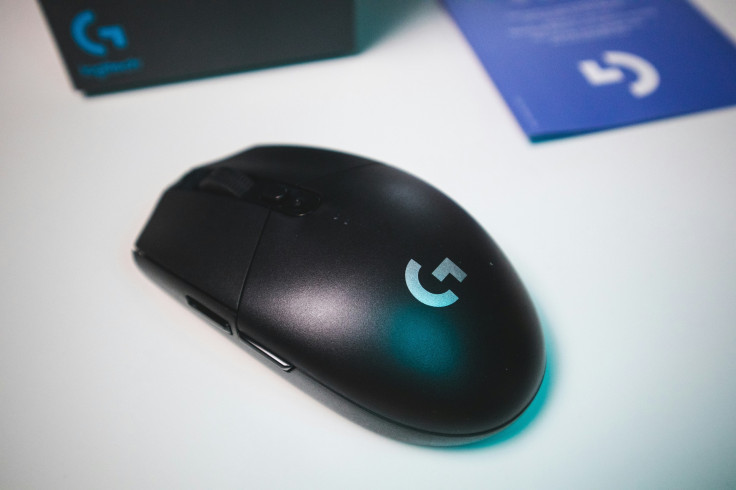
Budget gaming mice now rival flagship models in performance, tracking, and ergonomics without the $150 price tags. Testing 20+ models across CS2, Valorant, and Apex Legends shows sub-0.3% tracking errors, 1ms latency, and durable switches under $50. From Glorious Model O to Logitech G305, cheap gaming mouse options combine lightweight builds, paracord cables, and customizable DPI profiles for a professional feel.
Sensor accuracy, switch feel, and lift-off distance are the pillars of budget gaming mouse performance. Best gaming mouse under $50 models deliver real-world flick precision while enduring thousands of hours in competitive play. Cheap gaming mouse designs also focus on ergonomics, wireless reliability, and onboard customization, ensuring comfort and consistency across long sessions.
Budget Gaming Mouse Sensor and Tracking Performance
A good budget gaming mouse starts with reliable sensors and precise tracking, and recent models excel in this area. Modern PAW3395 clones and PixArt upgrades offer DPI ranges up to 26K, speeds of 650IPS, and near-zero acceleration. These improvements let sub-$50 mice compete with $150 esports tools while maintaining stable 800–3200 DPI ranges ideal for 1080p and 1440p setups.
- Glorious Model O Matte: 26K DPI, 0.15% 1% low deviation, zero acceleration, perfect for flick shots.
- Logitech G305 HERO: 12K DPI, flawless tracking across 400–12K increments, 250-hour AA battery.
- Razer DeathAdder Essential: 6400 DPI Focus+ handles 1440p gaming without spinouts, overkill avoided.
- SteelSeries Rival 3 TrueMove Core: 8K accuracy at 18G, 77g weight fits fingertip control.
- Lift-off distance: 0.5–1.2mm ensures precise cursor placement during mid-lift flicks.
- Pad compatibility: Glass, cloth, and hybrid mousepads glide frictionless without error spikes.
Best Gaming Mouse Under $50 Shape and Ergonomics
Shape and ergonomics impact comfort, grip style, and long-term fatigue, especially during extended gaming sessions. Best gaming mouse under $50 designs aim for universality—accommodating palm, claw, or fingertip grips across hand sizes 17–22cm. Lightweight honeycomb shells, symmetrical ambidextrous bodies, and thumb rests create ergonomic balance without expensive chassis.
- Glorious Model O: 69g honeycomb shell, suited for palm/claw, excellent airflow.
- HyperX Pulsefire Core: 88g ambidextrous shape, left-handed friendly.
- Logitech G305: Egg-shaped 99g, cradles hand, prevents thumb fatigue during long games.
- Coatings: Matte IP54 (Rival 3) resists sweat; rubberized G305 grips for relaxed palms.
- Paracord cables: Zero drag, flexible, mimicking premium wired feel.
- Switch feedback: Crisp Omrons (70M clicks) vs. mushy Huano clones.
Best Gaming Mouse Under $50 — Shape and Ergonomics
Comfort and accuracy are crucial during long gaming sessions, and budget gaming mice now deliver both without breaking the bank. Designs cater to ambidextrous, palm, and claw grips, fitting hands 17–22cm comfortably. Lightweight shells, thumb rests, and breathable surfaces reduce fatigue while maintaining precise control.
- Glorious Model O: 69g honeycomb shell, fits palm/claw grips comfortably, ventilated for airflow.
- HyperX Pulsefire Core: 88g ambidextrous shape, left-hand friendly, sculpted edges for versatile grips.
- Logitech G305: Egg-shaped 99g, ergonomic thumb rest for long sessions, balanced for control and speed.
- Coatings: Matte IP54 repels sweat; rubberized grips maintain stability during intense play.
- Cables: Paracord flexes like premium wired models, minimal drag across cloth or glass pads.
- Switches: Omron 70M clicks vs. Huano greens, crisp tactile feedback and long-lasting durability.
- Lift-off Distance: Low lift-off prevents cursor jumps for precision flicks.
- Grip Options: Supports palm, claw, and fingertip grips comfortably across multiple hand sizes.
- Weight Distribution: Balanced for quick movements without straining the wrist.
- Breathable Shells: Honeycomb or ventilated designs reduce hand sweat during extended sessions.
Cheap Gaming Mouse Wireless, Customization, and Software Optimization
Wireless and onboard customization let budget mice compete with pricier models. Logitech G305 Lightspeed hits 1ms latency and 360Hz tracking, with 250-hour AA battery life. Onboard memory saves DPI, lift-off, and macros without software, while single-zone RGB and responsive side buttons add convenience. Hall-effect switches rated for 100M clicks stay drift-free over long sessions.
Durability and tactile feedback keep gameplay precise. Omron and hall-effect switches provide millions of crisp clicks, while rubberized or sandblasted grips prevent slips. PTFE glide pads reduce friction, firmware updates fix sensor drift, and optional software apps store profiles or adjust debounce. Wireless 2.4GHz auto-hopping avoids interference during fast-paced sessions.
Network and software tweaks optimize budget setups further. Ethernet adapters stabilize uploads over 6Mbps, and QoS prioritizes gaming over downloads. OBS profiles enable smooth scene switching and mic muting, while Voicemeeter handles audio routing. AI noise removal and LUT filters keep streams clean and webcam colors natural, letting budget setups perform like higher-end rigs.
Affordable Gaming Excellence with Budget Mice
Finding the best budget gaming mouse under $50 no longer requires compromises in precision, ergonomics, or durability. Lightweight shells, precise sensors, durable switches, and wireless reliability allow competitive gaming on a budget. Onboard customization and ergonomic designs deliver professional-level control without expensive software or peripherals.
Cheap gaming mouse options now function as esports-ready tools, offering flick precision, smooth tracking, and long-term durability. Whether wired or wireless, these mice balance affordability with performance, making sub-$50 setups ideal for beginner, casual, and even semi-competitive gamers.
Frequently Asked Questions
1. Which budget gaming mouse has the most accurate sensor?
Glorious Model O with its PAW3370 clone achieves 0.15% 1% low deviation, rivaling flagship models. Lift-off distance and zero acceleration ensure precise cursor movement. Tracking remains consistent on both glass and cloth pads. This makes it suitable for high-level esports gameplay.
2. Are sub-$50 gaming mice durable enough for competitive use?
Yes, most have Omron 70M or hall-effect switches rated for millions of clicks. Coatings prevent slips and cable flex reduces wear. Paracord cables glide without drag. These features make budget mice reliable for long-term use.
3. Do cheap gaming mice require software for customization?
Not necessarily; onboard memory allows saving DPI, lift-off, and macro profiles. Optional software lets you remap buttons or adjust lighting. Profiles remain consistent across devices. Plug-and-play is fully functional for immediate use.
4. Which is the lightest and most ergonomic budget gaming mouse?
Glorious Model O weighs 67g, ideal for fingertip and claw grips. Honeycomb design balances weight and airflow. Ambidextrous designs like HyperX Pulsefire Core suit left-handed users. Lightweight mice reduce fatigue during long sessions while maintaining precise control.
Originally published on Tech Times





